


DJ rekordbox – DJ App & Mixer
4.6277.00 Reviews
App Specs
- Version
- 4.6.28.40
- Updated On
- License
- Free
- Downloads
- 1,000,000+
- Developer
- AlphaTheta Corporation
- Categories
- Music & Audio
- Platform
- Android
Screenshots
 Analysis by AppCompare
I judge a DJ app not only by how many controls it puts on a screen, but by whether I can understand those controls when I’m learning, playing casually, or working in a noisy room. DJ rekordbox is a music and audio app from AlphaTheta Corporation, and its phone-based approach makes experimenting with mixes feel more approachable than setting up a full DJ rig. It is free to download, though in-app purchases range from $2.99 to $49.99 per item, so I’d treat the free starting point as a chance to explore before paying for anything.
Finding Your Way Around the Virtual Decks
First things first, downloading and setting up the DJ rekordbox app is a breeze. Available on both Android and iOS, you can find it easily in the app store. Once installed, the app welcomes you with a sleek and intuitive interface that's both modern and user-friendly. It's like stepping into a virtual DJ booth with all the bells and whistles you’d expect.
The initial setup process is straightforward. The app guides you through the basics, ensuring that even if you're a newbie, you'll feel right at home. You'll need to create a free account, which unlocks a plethora of features. Trust me, it’s worth it because that’s where the fun begins!
Readability, Navigation, and Learning the Layout
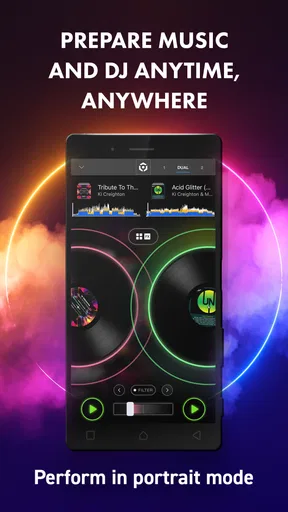
Touchscreen DJing asks you to read and act at the same time: check what is playing, locate a control, then make a change without losing the rhythm. I found the virtual-deck layout inviting because familiar DJ ideas are represented visually rather than hidden behind layers of menus. That helps a beginner connect a gesture with its musical result. It also means the screen can feel busy once you start exploring effects, loops, and other controls.
My practical tip is to learn one small part of the interface at a time. Start by loading tracks and listening to how the mix changes; then practise a single transition before adding effects. This makes it easier to remember where a control is and notice whether a change helped. If you’re playing on a small phone, rotating or repositioning the device may also affect how comfortably you can reach the on-screen controls, so it is worth trying your normal grip before relying on it for a long session.
A Deep Dive into Features
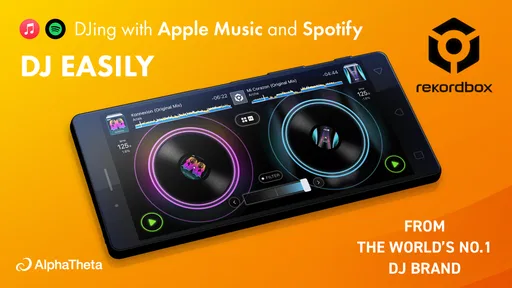
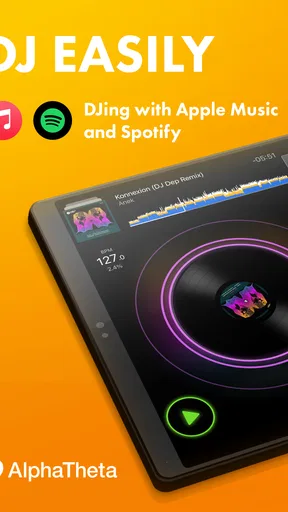
If there's one thing that stands out, it's the app's robust feature set. From syncing tracks to creating playlists, DJ rekordbox offers a comprehensive suite of tools. You can easily access your music library, and the app supports a wide range of audio formats. Plus, it integrates seamlessly with popular music streaming services, meaning your next big hit is always within reach.
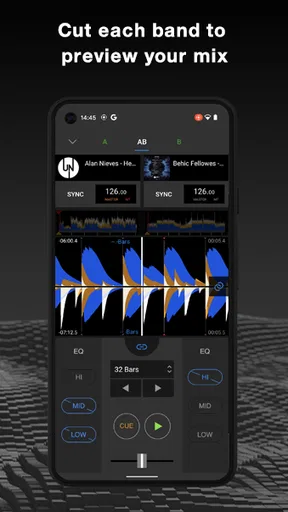
One of my favorite features is the ability to mix tracks intuitively. The app provides a virtual turntable interface where you can scratch, loop, and add effects. With a few swipes and taps, you’ll feel like a true DJ, crafting seamless transitions and energetic beats.
Worth Reading Before You Choose

Flipboard Shows What News Apps Must Do Beyond the Feed

Switching to Android Auto Means Rethinking Your Driving Routine

Google Calendar Makes a Crowded Week Easier to Manage

Ludo King Makes the Most of the Minutes Between Plans

Baby Panda World Brings Quick Play to Modern Phones, but Its Game Library Feels Busy

ESPN’s Live Game View Makes Following Close Games Easier
The useful distinction is between having tracks available and being ready to play them. A playlist is a better starting point than scrolling through a whole library while people are waiting; I’d prepare a short sequence in advance, then use the app to practise transitions between the songs I know well. Streaming integration can broaden what you can explore, but it does not remove the value of testing a track before a set. Familiarity with its opening, energy, and likely transition point matters more than having a huge choice on screen.
Motor and Sensory Considerations
Mixing by touch can be satisfying, but it is not equally comfortable for every hand or every situation. Scratching and adjusting controls with swipes asks for precise finger movement, and a phone offers less physical feedback than dedicated knobs and jog wheels. If repeated gestures are tiring or uncomfortable, I’d keep the session short, make fewer adjustments, and focus on simpler transitions rather than trying to perform every technique at once.
The audio experience also depends on context. Beat matching and effects can make a mix feel lively, but visual cues are not a substitute for listening carefully. In a quiet room, I can judge whether two tracks sit together; in a loud space, a phone speaker is unlikely to give the same confidence as a proper listening setup. I’d practise with headphones or speakers suited to the situation, and avoid assuming that an apparently smooth screen transition will sound right in the room.
Unlock Your Creativity
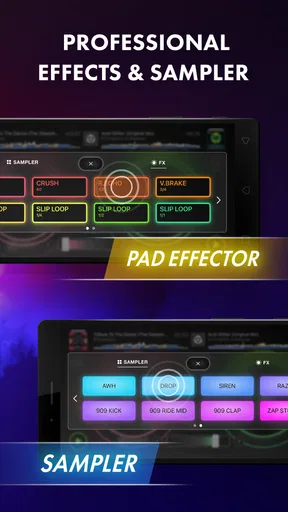
Now, let’s talk about creativity, because this app is all about giving you the tools to express yourself. With its robust effects panel, you can add flourishes like reverb, delay, and more. The sampler feature is another highlight, allowing you to spice up your sets with custom sounds. It’s like having a whole studio in your pocket!
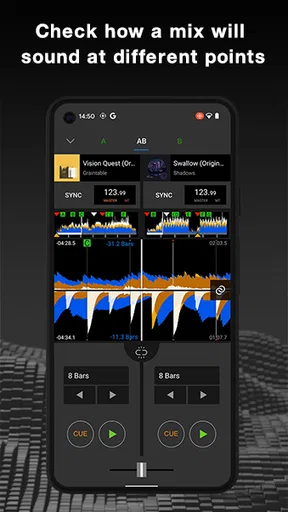
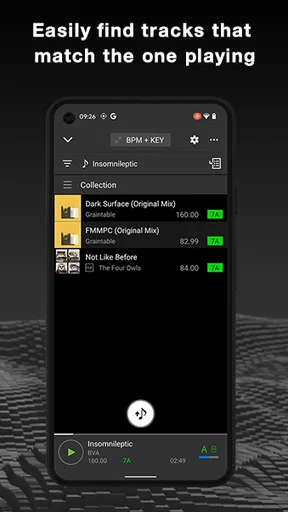
Not to mention, the app’s AI-driven features are a game-changer. The automatic beat matching and key detection make mixing tracks incredibly smooth. You can focus on the creative aspects without worrying about technical hiccups. It’s perfect for live performances where precision and timing are key.
Automation is best treated as a helper, not as a promise that every pairing will work. Beat matching can give a new user a less intimidating first transition, while key detection can help when choosing tracks that sound compatible. I still recommend listening through the result: tempo alignment cannot make two songs share the same mood, phrasing, or energy. A good practice exercise is to compare an assisted transition with one you adjust yourself, then keep the version that sounds more natural rather than the one that looks most technically neat.
Everyday Practice and Situational Access
A realistic use for this app is a spare ten minutes before heading out: I can open a playlist, try moving from a slower song into something more energetic, and save the idea for a later gathering. It is also useful for someone who wants to understand DJ basics before investing in dedicated equipment. The phone format lowers the barrier to experimenting, and short practice sessions make it easier to build confidence without turning a hobby into a complicated setup.
For an informal get-together, I would use it to prepare and play a familiar playlist rather than improvise an entire evening from an untested library. I’d check the tracks and transitions beforehand, keep the phone somewhere stable, and make sure I can hear the mix over conversation. That workflow suits a relaxed room better than a loud event where precise control, tactile hardware, or dependable monitoring may matter more.
On the accessibility side, a phone can be easier to carry and position than a laptop-and-controller setup, but compactness has a trade-off: important controls share limited screen space. Touch operation may suit people who prefer direct visual interaction, yet it can be harder for anyone who needs tactile landmarks, has limited dexterity, or finds bright, changing screens uncomfortable. I would try the basic workflow on the device I actually plan to use before deciding whether it feels manageable.
How It Compares, and Where It Can Fall Short
Compared with a conventional music player, this app is aimed at shaping a continuous mix, not simply choosing a track and pressing play. Compared with desktop DJ software or a hardware controller, the phone approach is more portable and less demanding to set up, but it cannot offer the same physical separation between controls. If you want to learn phrasing and experiment with transitions on the move, that compromise is appealing. If you need hands-on precision for a long performance, a controller or a larger setup is likely a better fit.
There is also a learning trade-off behind the polished interface. A beginner can start exploring quickly, but the many creative options may distract from the basics. I’d resist turning on several effects at once; use one effect briefly, listen to its impact, and learn when it helps rather than leaving it on because it is available. Likewise, a playlist prepared around a clear mood is usually more useful than a crowded queue. These habits make the app easier to use and help keep a set coherent.
DJ rekordbox has an average rating of 4.6 from around 15,000 ratings, and it has been installed over a million times. The app is rated for Everyone, which makes it broadly suitable from an age-rating perspective, though the hands-on nature of mixing still means the experience depends on a user’s comfort with touch controls and music practice. Its current version is 4.6.4.15; I’d check the available purchase options in the app and decide whether a paid item solves a specific need before spending.
Performance and Usability
Performance-wise, the app runs like a dream. During my testing, I was impressed by how responsive and fast it was. The app’s design is optimized to ensure smooth operation, even when handling multiple tracks and effects. Whether you're using an older device or the latest smartphone, DJ rekordbox delivers consistently.
Usability is also top-notch. The intuitive layout and easy navigation mean you can dive right into mixing without a steep learning curve. The developers have done an excellent job of balancing advanced features with a user-friendly experience.
For everyday use, I would still do a sound check before relying on any phone app in front of other people. Test the device, your chosen tracks, and the way you plan to hear the mix in the actual setting. That is especially helpful if you are switching between a quiet practice room and a social space, where background noise changes what you can notice. A few minutes of preparation can prevent frantic searching or over-adjusting once the music is already playing.
Who Should Try It, and Who May Prefer Another Setup
I’d recommend it to curious beginners, casual music fans who want to make transitions more deliberate, and existing DJs who want a portable way to sketch ideas. It can also suit someone who is deciding whether mixing is enjoyable before buying hardware. The combination of playlists, virtual decks, effects, and beat-related assistance offers enough to explore without requiring a full desk setup from the outset.
I’d steer away from it if your priority is physical controls, if touchscreen gestures are difficult for you, or if you need a dependable main rig for a demanding live performance. Those users may be more comfortable with desktop software, a controller, or simply a standard player, depending on whether they want hands-on mixing or straightforward listening. It is also not the best choice for someone who dislikes practising: automatic assistance can make the first attempt easier, but musical judgement still comes from listening and repetition.
Final Thoughts
So, what’s the verdict? If you’re looking to elevate your DJ skills or just want to have fun mixing tracks, DJ rekordbox is a fantastic option. It’s packed with features that cater to all skill levels and offers a seamless experience on both Android and iOS.
Whether you’re prepping for a party or just jamming out in your room, this app is your new best friend. With its mix of professional tools and user-friendly design, it transforms your phone into a powerful DJ setup. So go ahead, unleash your inner DJ and let the music take control!
My more measured recommendation is to begin with a few familiar tracks, practise one transition, and see how the screen feels in your hands. If you enjoy that process, the app gives you room to explore effects and more ambitious mixes. If you find yourself wishing for knobs, clearer tactile separation, or less visual activity, that is a useful sign to try a different setup rather than forcing the phone to do everything.
Pros
- Intuitive interface for seamless mixing.
- Wide range of effects and transitions.
- Compatible with various controllers.
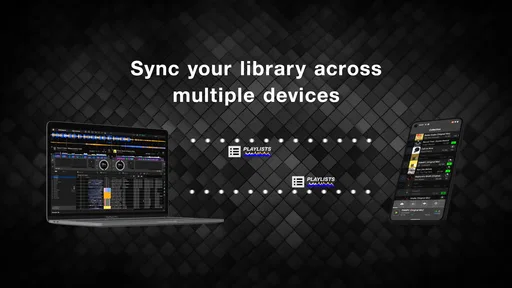
- Cloud library sync for easy access.
- Customizable layout to suit preferences.
Cons
- Requires subscription for full features.
- High system requirements for smooth use.
- Limited offline functionality.
- Initial setup can be complex for beginners.
- Some features locked to specific hardware.
FAQs for DJ rekordbox – DJ App & Mixer
What devices are compatible with DJ rekordbox?
DJ rekordbox is designed to work seamlessly on both Android and iOS devices. However, it's important to ensure that your device meets the minimum system requirements for optimal performance. Generally, it requires a relatively recent operating system version and sufficient storage space to handle music libraries and app functionalities.
Is DJ rekordbox free to use?
DJ rekordbox offers a free version with basic features that allow you to mix tracks and explore the app. For more advanced features, such as cloud storage and professional effects, a subscription to the premium version is available. This ensures that both casual users and professional DJs can find a suitable option.
Can I use DJ rekordbox offline?
Yes, DJ rekordbox allows offline usage, enabling you to play and mix tracks without an internet connection. However, some features, such as accessing cloud-stored tracks and updates, require an online connection. Make sure to download your tracks beforehand to ensure an uninterrupted DJing experience.
How does DJ rekordbox integrate with other equipment?
DJ rekordbox is designed to integrate smoothly with Pioneer DJ equipment. It supports various controllers and mixers, allowing for a professional setup. Before purchasing additional hardware, verify compatibility to ensure a seamless connection and enhanced performance during live sets.
What genres of music does DJ rekordbox support?
DJ rekordbox supports a wide range of music genres, offering flexibility for DJs who play diverse sets. You can import tracks from various sources and organize them into playlists. The app’s analysis tools help in optimizing track performance, regardless of genre, to ensure a smooth mixing experience.


